
Run WhatsApp like a real business channel: AI agents that resolve, not just reply
Voxket Connect turns WhatsApp into a full operations channel: a shared team inbox, AI agents that take real action in your systems, a no-code flow builder, broadcast campaigns on approved templates, and Click-to-WhatsApp ads with AI-generated creative.
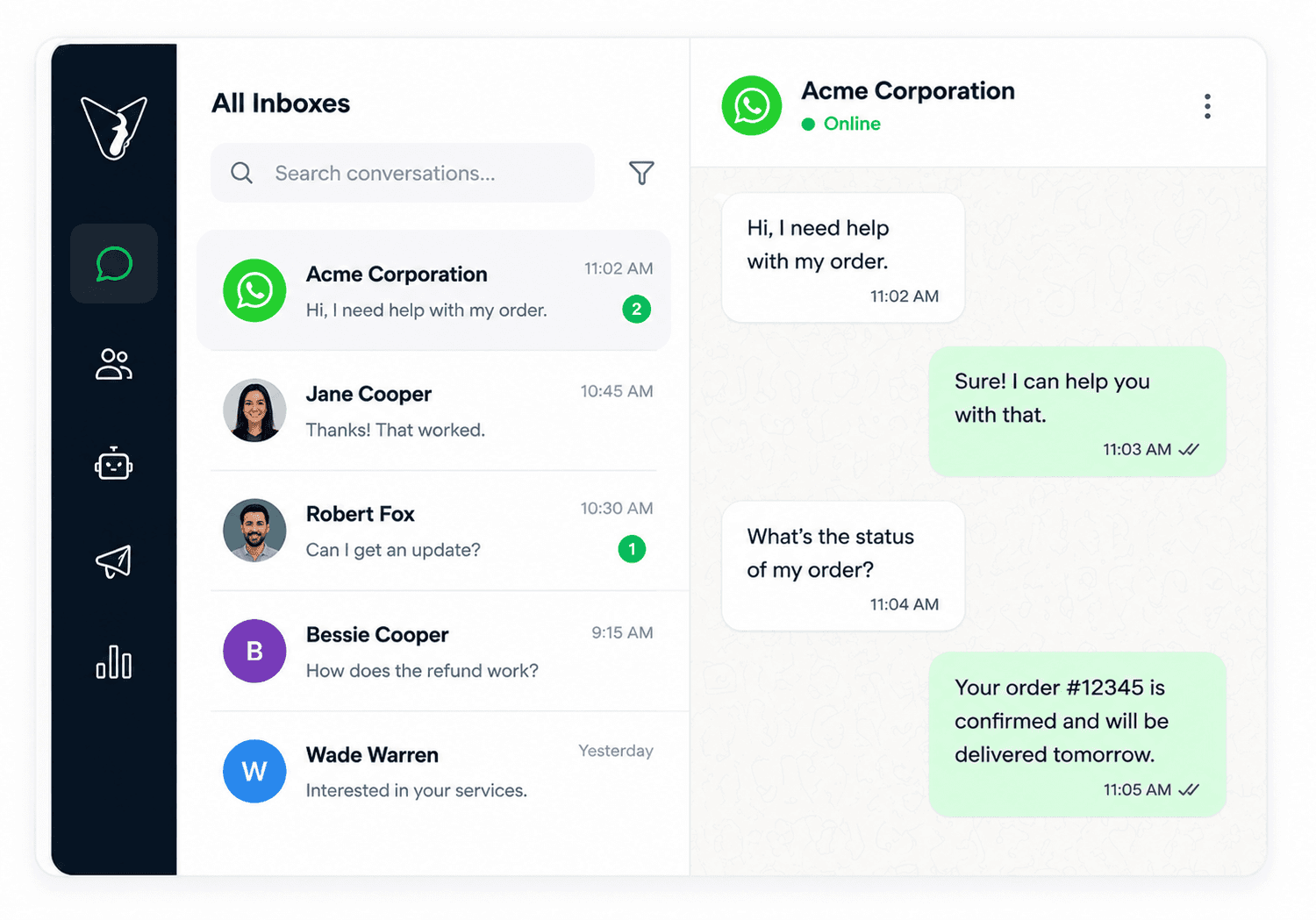
An enterprise WhatsApp platform with AI agents built in
Teams run two-way WhatsApp conversations from a shared inbox, automate journeys with a no-code builder, deploy AI agents that remember context and act in your systems, send broadcast campaigns, launch Click-to-WhatsApp ads, and book appointments, all multi-tenant, with role-based access and analytics.
Most WhatsApp tools give you an inbox and a rules bot. Connect gives you an inbox, AI agents that take action, no-code automation, and the marketing layer (campaigns and ads) in one multi-tenant platform.
WhatsApp is where customers reply, but most teams run it in a way that leaks money
- “We run WhatsApp off a personal phone or a basic inbox, and handoffs are chaos.”
- “Our chatbot deflects instead of resolving. Customers get stuck, then churn.”
- “We send campaigns from one tool, answer messages in another, and run ads in a third.”
- “Leads from our WhatsApp ads go cold because no one replies in the first five minutes.”
- “We book appointments over WhatsApp by hand, then re-key them into a calendar.”
- “We want AI on WhatsApp, but not a black box we can't control.”
One platform, not four tools stitched together
Shared team inbox
One inbox for every WhatsApp conversation with assignment, transfer, internal notes, and group threads, in real time. Your whole team works WhatsApp without sharing a phone or losing history.
AI agents (memory + tools + knowledge)
Agents on LangChain/LangGraph with persistent memory that retrieve from your knowledge bases (RAG) and call your APIs, so they resolve requests and take real action instead of deflecting.
No-code workflow builder
A visual node-graph builder for automated WhatsApp journeys: text, media, buttons, lists, approved templates, agent steps, and reusable sub-workflows, triggered by a message or keyword.
Broadcast campaigns
Send approved templates to segmented lists with scheduling, per-recipient click tracking, and a delivery funnel, so campaign replies land in the same shared inbox your team already works.
Click-to-WhatsApp ads + AI creative
Publish Meta ads that open a WhatsApp chat, managed inside Connect, with AI-generated ad images (Gemini) edited on a built-in canvas. Turn ad spend into live conversations.
Appointment scheduling
A full scheduling engine with availability rules, exceptions, recurrence, and pricing. Customers book, reschedule, and cancel in-chat and it lands in a real calendar, no re-keying.
Customer CRM, tags & segments
Customer records, key/value tags, a filter API, and bulk import, so you target and personalize at scale and keep every customer's context next to the conversation.
Full-text search & secure export
Full-text search across every message plus password-protected exports (encrypted Excel, attachments ZIP, JSON), so nothing is lost and you can hand over a compliant record.
Multi-tenant RBAC
An organization → department → user hierarchy with policy-based access control, so large and multi-brand teams run one platform with tight, auditable control over who sees and does what.
Multi-LLM, model-agnostic
OpenAI, Anthropic, and Google Gemini through one framework with per-model cost accounting. Pick the best model per task and swap models without rebuilding your agents.
From WhatsApp number to a running operation
- 01
Connect WhatsApp
Link your WhatsApp Business account through the Meta Cloud API or a BSP connection, and assign numbers to the right departments and agents.
- 02
Build agents and flows
Describe an AI agent (prompt, knowledge base, tools) or design a no-code workflow on the canvas. Test both in a live playground before you ship.
- 03
Bring in customers
Import contacts in bulk, tag and segment them, and set up your approved templates and campaigns.
- 04
Engage and measure
Run the shared inbox, launch campaigns and CTWA ads, let agents and flows automate the routine, and watch the dashboards.
Support, sales, and marketing on one channel
Questions teams ask about Connect
Is Voxket Connect an official WhatsApp Business solution?
Connect runs on the Meta WhatsApp Cloud API and also supports BSP connections, so you use your own WhatsApp Business account and approved templates.
Can I automate replies without writing code?
Yes. Connect includes a visual, node-graph workflow builder. You compose journeys from text, media, buttons, lists, approved templates, AI-agent steps, and reusable sub-workflows, triggered by an inbound message or a keyword, with no code.
How are Connect's AI agents different from a normal chatbot?
A rules chatbot follows a script and deflects at the edge. Connect's agents run on LangChain/LangGraph with persistent memory, retrieve answers from your knowledge bases, and call your APIs, so they resolve requests and take action, then hand off to a human with full context when needed.
Can I run marketing campaigns and ads from the same platform?
Yes. Broadcast approved templates to segmented lists with scheduling, click tracking, and a delivery funnel, and publish Click-to-WhatsApp ads with AI-generated images that open a chat. Replies land in the same shared inbox.
Does my whole team share one WhatsApp number?
Yes. Connect is a shared team inbox with assignment, transfer, internal notes, and role-based access, so your team works one or several WhatsApp numbers without sharing a phone, and every conversation keeps its full history.
Which AI models does Connect use?
Connect is model-agnostic. It supports OpenAI, Anthropic, and Google Gemini through one framework, so you can choose the best model per task and route by cost, latency, or quality without rebuilding your agents.
Can I book appointments over WhatsApp?
Yes. Connect includes a scheduling engine with calendars, availability rules, exceptions, recurring bookings, and pricing plans, so customers book, reschedule, and cancel in-chat and it lands in a real calendar.
Ready to put an AI workforce on your frontline?
Deploy voice, chat, and video agents that work 24/7, act in your systems, and hand off to your team when it counts. Build your first agent in minutes.
White-glove onboarding for teams · Talk to a human, not a form.